Iconik Plugins

Detect Duplicate Files

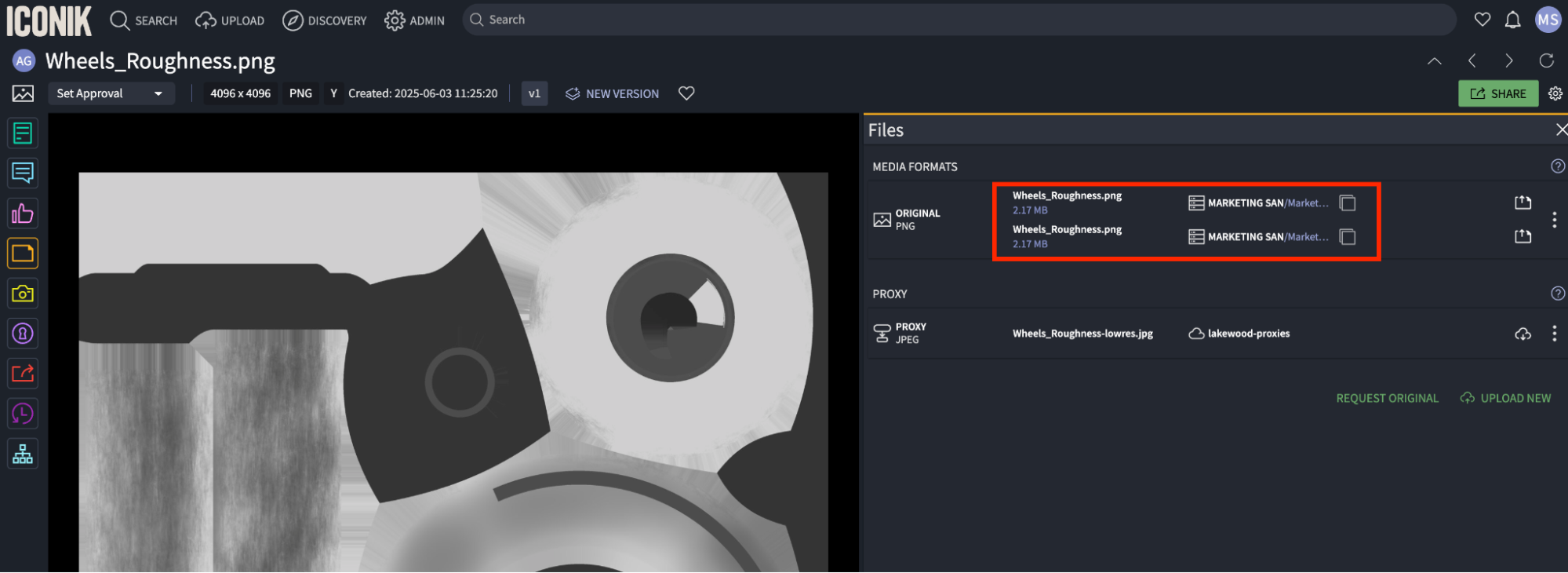
The Detect Duplicate Files plugin solves a core limitation in iconik: by default, iconik cannot identify or track how many original files exist across multiple storage locations for a single asset. This plugin fills that gap by scanning assets, counting how many originals exist per storage, and storing that count in custom metadata fields that can be easily searched, filtered, and acted upon.

Once scanned, users can build saved searches to identify duplicates on specific storages—enabling smarter file management and storage optimization strategies.
Detect Duplicate Files

Key Features:

  • Cross-Storage Duplicate Tracking: Counts how many original files are present on each storage for every asset.
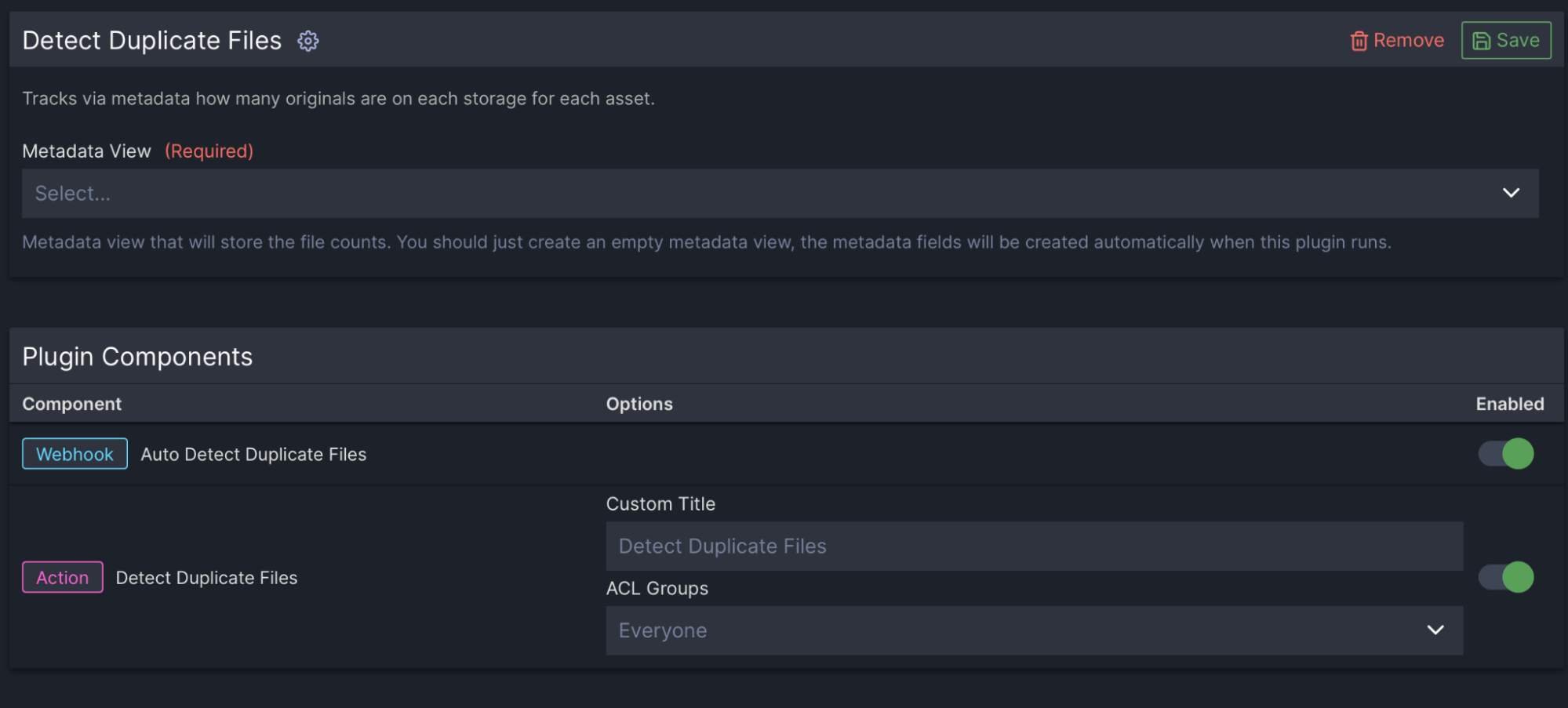
  • Custom Metadata View (Required) : You assign or create an empty metadata view, and the plugin auto-generates the necessary fields to store duplicate counts.
  • Webhook & Action-Driven:
    • The Action component runs a full scan of the system on-demand (ideal for initial setup or periodic audits).
    • The Webhook component runs automatically in real time as new files are added, keeping your system continually up to date.
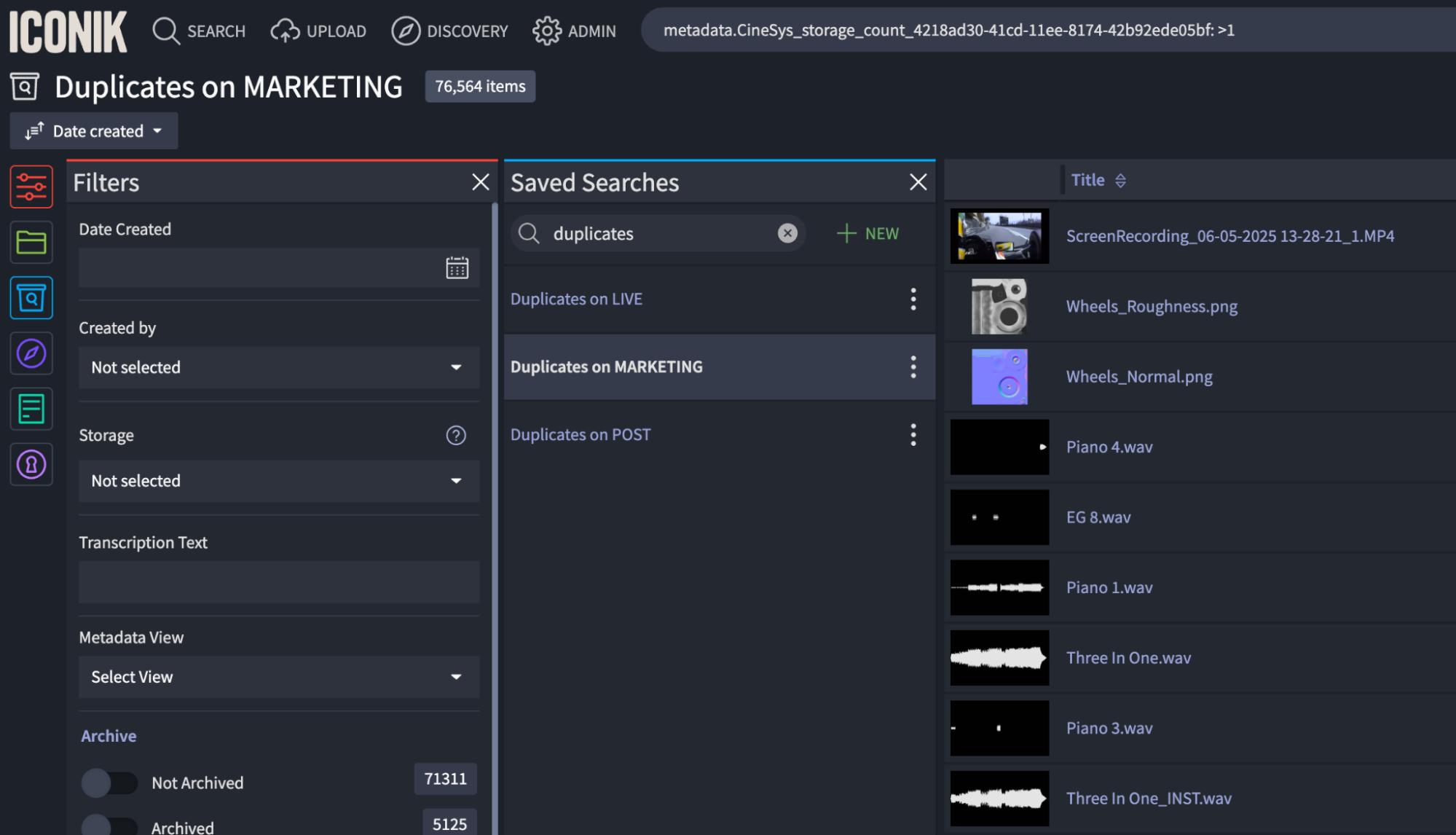
  • Custom Saved Search Support: Once the metadata is populated, users can create saved searches to quickly find duplicates on specific storages (e.g., “Duplicates on MARKETING”).
  • Integrates with Cleanup Workflows: When paired with the Delete Duplicates on Same Storage plugin, this becomes a complete solution to safely eliminate redundant files while preserving one original per asset.

Example Workflow:

      1. Initial Scan: Run the Detect Duplicate Files action to scan the entire iconik environment and populate a metadata view (e.g., CineSys_storage_count_…).
      2. Create Saved Searches: Use metadata filters like:metadata.CineSys_storage_count_Marketing:>1to find all assets that have more than one original on a specific storage.Pro tip: increase the > number to 25 in the saved search to see how many files on your system have more the 25 duplicates. I bet you’ll be surprised.
      3. Sort & Review: Sort results by file size, type, or path to prioritize which duplicates to delete or archive.
      4. Automate Ongoing Tracking: Enable the webhook so any new duplicate originals are automatically tracked and flagged.
      5. Optional Cleanup: Pair with a delete plugin to remove redundant copies from the target storage, freeing up space.

Example Use Cases:

  • Storage Cost Reduction: Identify and remove redundant files from expensive or fast-tier storage.
  • Post-Ingest Cleanup: Ensure that ingest folders don’t accumulate multiple identical assets due to re-ingest or misconfigured workflows.
  • Asset Health Monitoring: Quickly flag anomalies where more than one “original” exists across storages.
Detect Duplicate Files

Pricing

Upon Request

Buy Now
  • Implementation
  • Support (business hours)
  • Updates and feature upgrades